Squarespace pricing for small businesses
If you are looking at Squarespace for a small business website, the biggest question is usually not whether Squarespace works.
It does.
The real question is whether the pricing makes sense for the kind of business site you actually need.
For most small businesses, that means asking:
- Which Squarespace plan is enough to launch professionally?
- What do you actually get when you move up plans?
- When is Squarespace worth paying more for?
The short answer is simple: most small businesses should start with the lowest Squarespace plan that supports the business features they actually need, and avoid paying for advanced commerce features too early.
If you want the broader website-platform context first, read Best website builder for local businesses, Best website platform for service businesses, and Best email and website setup for a small business.
Quick answer
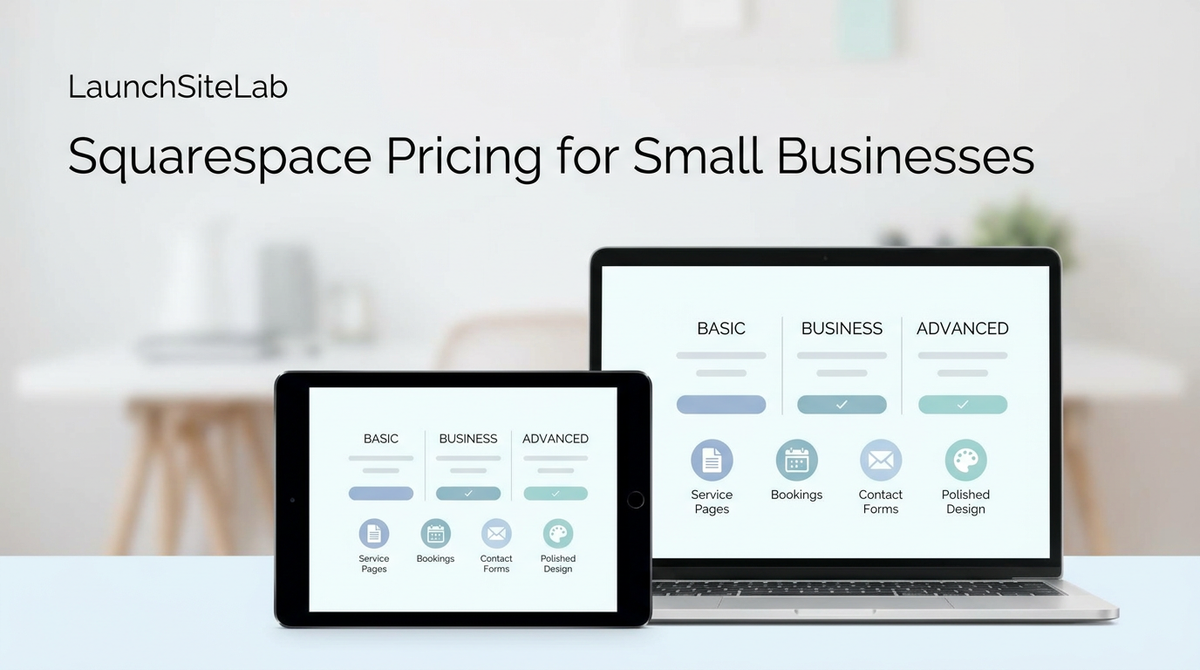
At the time of writing, Squarespace’s current website pricing is structured around four plans:
| Plan | Best fit | Main reason to choose it |
|---|---|---|
| Basic | Smaller business sites with simple needs | Lowest-cost paid path into a professional site |
| Core | Most small businesses that need stronger business features | Better balance of business tools and flexibility |
| Plus | Businesses selling more actively online | Lower digital selling fees and more premium features |
| Advanced | Businesses with heavier commerce needs | More than most small businesses need at the start |
Squarespace’s official pricing and help pages show that all website plans are available on both monthly and annual billing, and annual plans include built-in savings compared with monthly billing. The current official materials also show that all paid plans include fully managed hosting, a drag-and-drop editor, mobile optimization, and 24/7 customer support.
For most small businesses, the real decision is usually between Basic and Core.
What small businesses should care about in Squarespace pricing
Most small businesses do not need the most expensive website plan.
They need the one that makes it easy to:
- look professional
- connect a custom domain
- manage the site without confusion
- collect inquiries or bookings
- add business tools only when they are actually needed
That means your pricing decision should focus less on feature overload and more on whether the plan supports a clean, low-friction business workflow.
The most important Squarespace pricing question
The key question is this:
What is the lowest Squarespace plan that still makes your business site feel complete?
For many small businesses, that means the first plan that gives you:
- a professional site on your own domain
- enough business features to support your workflow
- a site that feels credible to customers
If a plan does not support the way the business actually works, it is too limited even if it looks cheaper at checkout.
Which Squarespace plan should small businesses choose?
Choose Basic if
Basic is the better fit if you:
- need a simple brochure-style business website
- mainly want a professional online presence
- do not need heavier premium business features yet
- want the lowest paid path into a polished Squarespace site
This is often enough for businesses whose website mainly exists to:
- explain what they do
- show services
- make it easy to get in touch
- look trustworthy
Choose Core if
Core makes more sense if you:
- want stronger business features from the start
- need more flexibility than a very basic site setup
- expect the website to support more active marketing or service workflows
- want a stronger long-term business plan without going too far up the ladder
Squarespace’s current help materials describe Core as including premium features such as unlimited contributors, custom code support, built-in integrations, and zero commerce transaction fees. That makes it a more realistic fit for many serious small-business sites than the lowest plan.
For many LaunchSiteLab readers, Core is the best overall value plan.
Choose Plus only if
Plus becomes easier to justify if:
- you plan to sell more actively through the site
- you want lower fees on digital products or memberships
- your site is starting to behave more like a real revenue engine than a simple brochure site
Most small businesses do not need to start here unless they already know they are using more of Squarespace’s selling tools.
Skip Advanced unless
- your business is already well beyond a normal starter small-business setup
- you know you need more advanced commerce functionality
- your site is doing much more than the average informational or service-based business site
Is Squarespace expensive for small businesses?
Squarespace is not the cheapest website option on the market.
But expensive and overpriced are not the same thing.
Squarespace can still make sense if you care about:
- getting a polished site live quickly
- keeping the site easy to maintain
- having business tools inside one platform
- avoiding a more fragmented setup
If your only goal is to spend the absolute minimum, Squarespace may not feel like the best value.
If your goal is to launch a small-business site with less technical friction, the pricing can make sense.
If budget is your first filter, read Best cheap hosting for beginners that still feels easy to use.
Is Squarespace worth it for small businesses?
For many small businesses, yes, if you value polish, simplicity, and all-in-one convenience more than the absolute cheapest option.
Squarespace is usually worth it when:
- you want a cleaner website experience than a pieced-together setup
- you need a business site that looks credible quickly
- you want service and appointment tools available inside the platform
- you would rather pay more than deal with a messy workflow later
Squarespace is usually not the best fit when:
- your budget is extremely tight
- you want more layout freedom than a more guided builder gives you
- you expect a content-heavy or heavily customized site and are comfortable with WordPress
If that sounds more like your situation, read Best website platform for service businesses and Squarespace vs Wix for freelancers.
What changes as you move up plans?
This is where many small business owners get stuck.
Moving up a plan is usually not about making the website look prettier.
It is about adding more business functionality.
As Squarespace explains in its current help materials, the higher plans add:
- more premium integrations
- lower selling fees on certain plan types
- more contributor flexibility
- stronger business and commerce features
That means the upgrade question should not be:
"Can I afford the higher plan?"
It should be:
"Will I actually use what the higher plan unlocks?"
Squarespace pricing vs other options
This is where many small businesses compare it against Wix or WordPress.
Squarespace vs Wix
Squarespace usually makes more sense if:
- you want a cleaner default design
- you want fewer layout decisions
- you want the fastest path to a polished site
Wix usually makes more sense if:
- you want more freedom in layout and editing
- you want a wider range of plan and builder behavior options
- you are willing to trade some simplicity for more control
Squarespace vs WordPress
Squarespace usually wins on simplicity.
WordPress usually wins on flexibility.
But WordPress also comes with more setup, more maintenance, and more moving parts.
If you want to compare platform simplicity against longer-term flexibility, read Best website platform for service businesses and Shared hosting vs managed WordPress hosting for beginners.
Common small-business mistakes with Squarespace pricing
Choosing based only on the cheapest visible plan
The right plan is not just the cheapest one.
It is the cheapest one that still supports how your business actually works.
Paying for more plan than the site needs
A lot of small businesses do not need the higher commerce-oriented plans on day one.
Ignoring the rest of the setup
Your builder is only one part of your setup.
You may also need:
- a domain
- business email
- a contact or booking flow
- a few clean service pages
That is why it helps to think in terms of the whole system. For that, read Best domain registrar for small businesses, How to set up business email on your domain, and Best email and website setup for a small business.
My recommendation
If you are a small business and you want Squarespace, start with the lowest plan that supports the business features you actually need, and move up only when your site truly needs stronger selling or workflow functionality.
For many small businesses, that means starting carefully and not overbuying.
If you mainly need a polished service site, Basic may be enough.
If you already know you want stronger business features, Core is usually the smarter default.
Final answer
Squarespace pricing for small businesses makes sense if you want a polished site, a low-friction setup, and a platform that is easy to maintain.
For most small businesses, the smartest move is to choose the lowest plan that still makes the site look credible and supports the business properly, then upgrade only when your workflow actually demands it.